

Millwork estimating software
Bid more millwork. Price each run of casework.
Casework is on the interior elevations, tops are on the millwork details, and trim is on the plans and the finish schedule.
Take each piece off in Kredna where it is drawn and price it with your own costs.
Illustration on a made-up plan.
What a millwork takeoff covers.
Casework and tops go in as runs, built-in pieces by count, trim by length and paneling by area, each on the sheet it is drawn on.
| What you take off | How | Carried in |
|---|---|---|
| Base and wall cabinets Drawn along each run on the elevation or the plan. | Linear | LF |
| Tall cabinets and built-in pieces Reception desks, benches and the like. | Count | EA |
| Shelving | Linear | LF |
| Laminate and solid surface countertops Drawn along the front edge. | Linear | LF |
| Stone countertops Drawn along the front edge; a Depth property turns the length into area. | Linear | LF, SF |
| Wood base, crown and handrail With the waste you set on the item. | Linear | LF |
| Door casing Counted per opening; the opening's size and the sides cased give the length. | Count | EA, LF |
| Wall paneling Drawn on the interior elevations. | Area | SF |
| Wood ceilings and slat walls | Area | SF |
Take off casework where it is drawn.
Set the scale of the interior elevations and the enlarged plans, and draw each run of base and wall cabinets along its length. An elevation drawn at another scale on the same sheet gets its own scale region.
Each takeoff stays on the sheet it came from, so a question from the GC goes straight back to the right elevation.
Countertops by the foot or by area.
Build a stone top item with a Depth property, draw it along its front edge, and a formula carries the square feet. Laminate and solid surface tops carry in LF.
Build door casing as a counted item: the opening's width, height and the sides cased give the length of casing, with waste applied once.
Price shop and field your way.
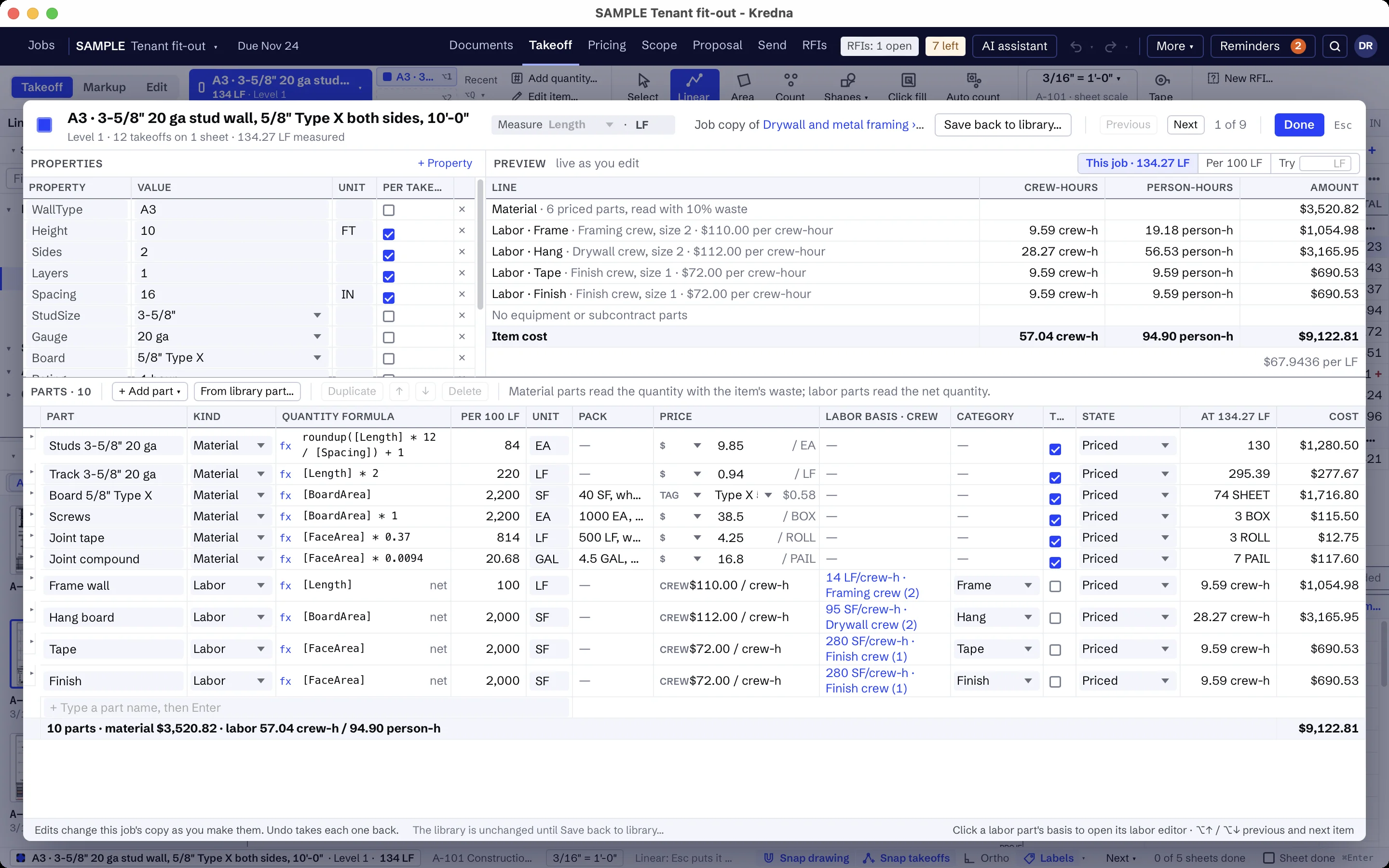
Put your own material costs and waste on each item, and labor as a production rate, total hours or a crew duration in your own labor categories, such as Shop and Field. Keep shop-built casework and field trim in separate folders so each shows its own total.
Say what is in and what is out.
Keep your millwork inclusions, exclusions and clarifications in the company clause list: cabinet hardware included, blocking, sinks and field finishing by others, casework built to field dimensions. Scope brings them onto each job, and the proposal goes out as PDF or Word.
Items a millwork company builds once.
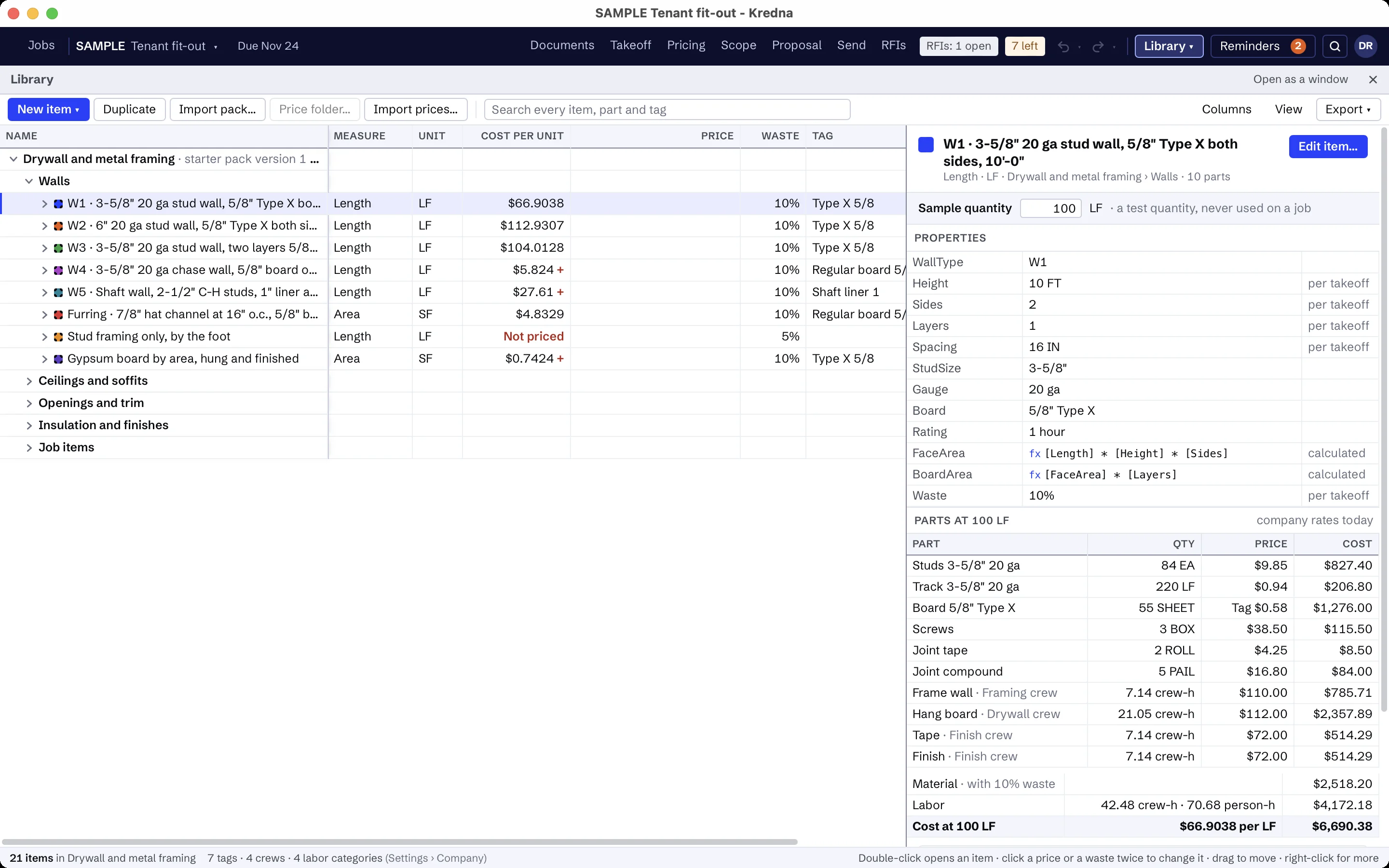
Build your casework, tops and trim in the library once, with their parts and formulas, and each job copies the ones it uses. Examples of what millwork companies build:
- Base cabinets, wall cabinets and shelving by the foot
- Tall cabinets and built-in pieces by count
- Plastic laminate, solid surface and stone countertops
- Wood base, crown molding and wood handrail
- Door casing, worked out from the opening size
- Wall paneling by area
- Your millwork inclusions, exclusions and clarifications
The prices are yours to set. A part without a price shows as Missing, never as zero, and every total that includes it is marked incomplete until you price it.
Millwork scope that is usually by others.
Write the assistant's setup for millwork once: what to look for, the sheets and spec sections to read, and what is usually by others. It then reads the interior elevations, millwork details and finish schedule you choose, highlights where the casework and trim are so you can jump to them, and flags lines like these as usually another trade's. Findings stay drafts until you accept them.
- Rough carpentry and in-wall blocking
- Plumbing fixtures, sinks and appliances
- Field painting and staining unless listed
- Manufactured laboratory and medical casework unless listed
- Doors and frames unless listed
AI findings need estimator review. Check quantities, costs and scope against the project documents before submitting a bid.
Moving from another takeoff tool?
Pick an item, measure on the sheet and watch the quantity total in the job tree. Build your items once in the library, and the takeoff, pricing and proposal all read the same job.
Finish carpentry and millwork questions
Can I take off cabinets from the interior elevations?
How do I price a countertop by the square foot?
Will a library change move a bid I already priced?
Can I work in metric?
Does the AI find the millwork?
Bring a millwork set you know.
See how the elevations, the casework runs and the proposal fit together on a job your company bids.