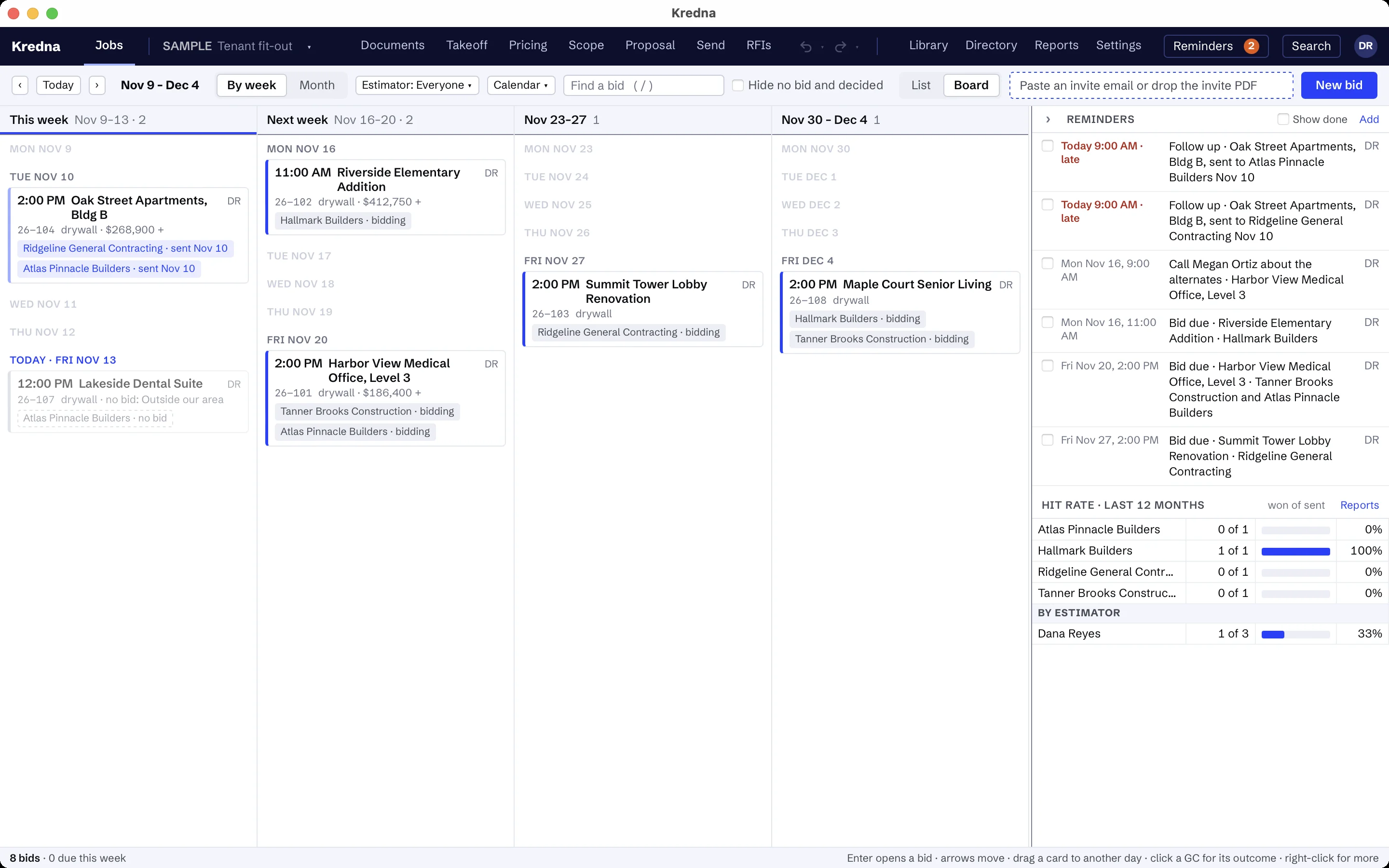
Every bid, every GC, every deadline, on one board.
Home is your bid board. Every bid is there by its due date, with its GCs and its status, as a list or as a board.
Paste an invite email or drop the invite PDF and Kredna reads the project, location and dates for you to check. When the same project comes in from another GC, it joins the bid you already have.
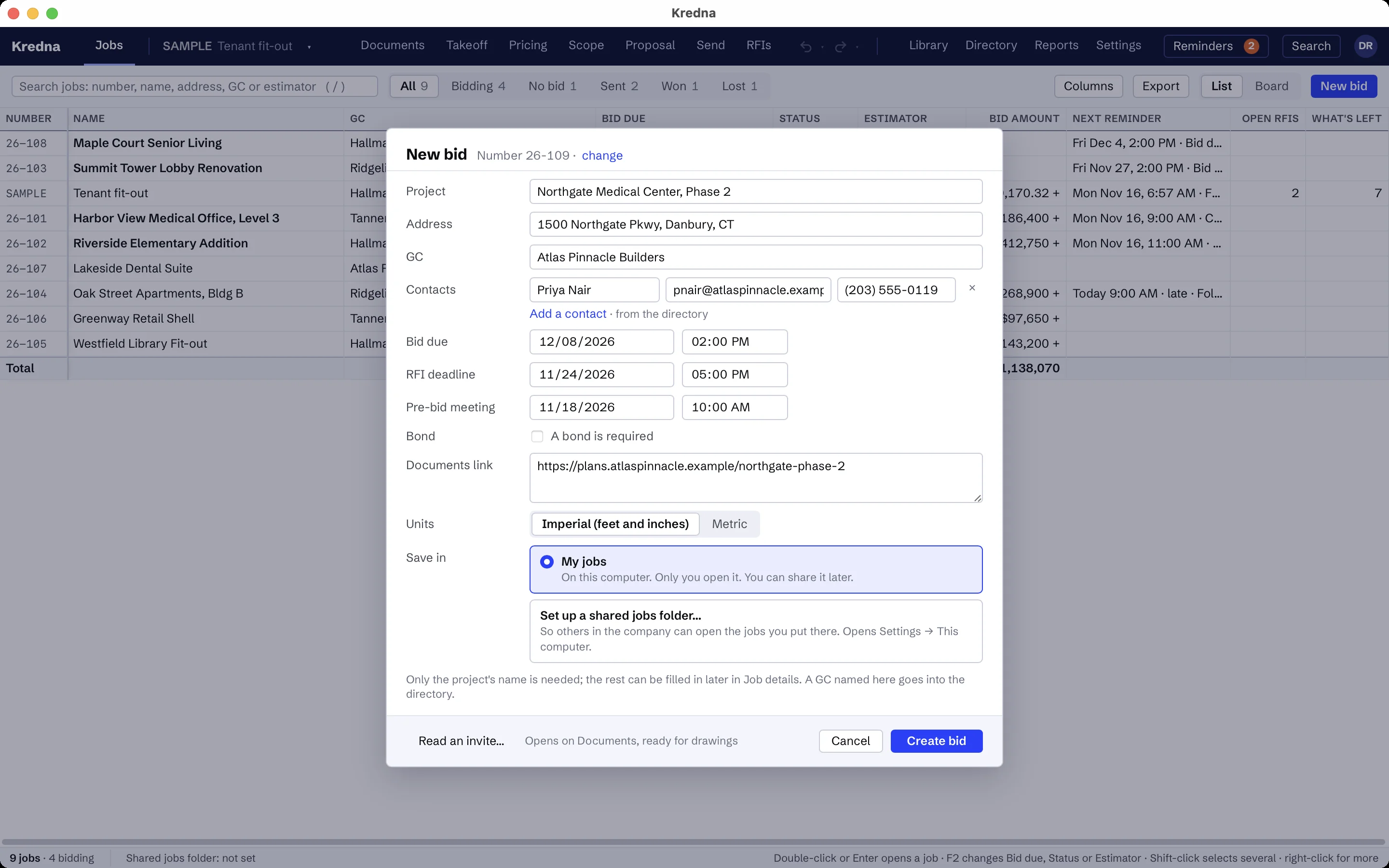
Turn an invite into a bid.
New bid from an invite takes the pasted email or the invite PDF and fills in what it finds: the GC, the project, the bid due time, the pre-bid meeting and the RFI deadline. Every field is yours to check before anything is made.
Decide to bid or not. A bid is Bidding, No bid, Sent, Won or Lost, and No bid takes an optional reason.
Never miss a bid day.
Reminders come from the job's own dates: bid due for each GC, the RFI deadline, the pre-bid meeting, and a follow-up a few days after a bid went out with no outcome yet. Add your own, and mark each done.
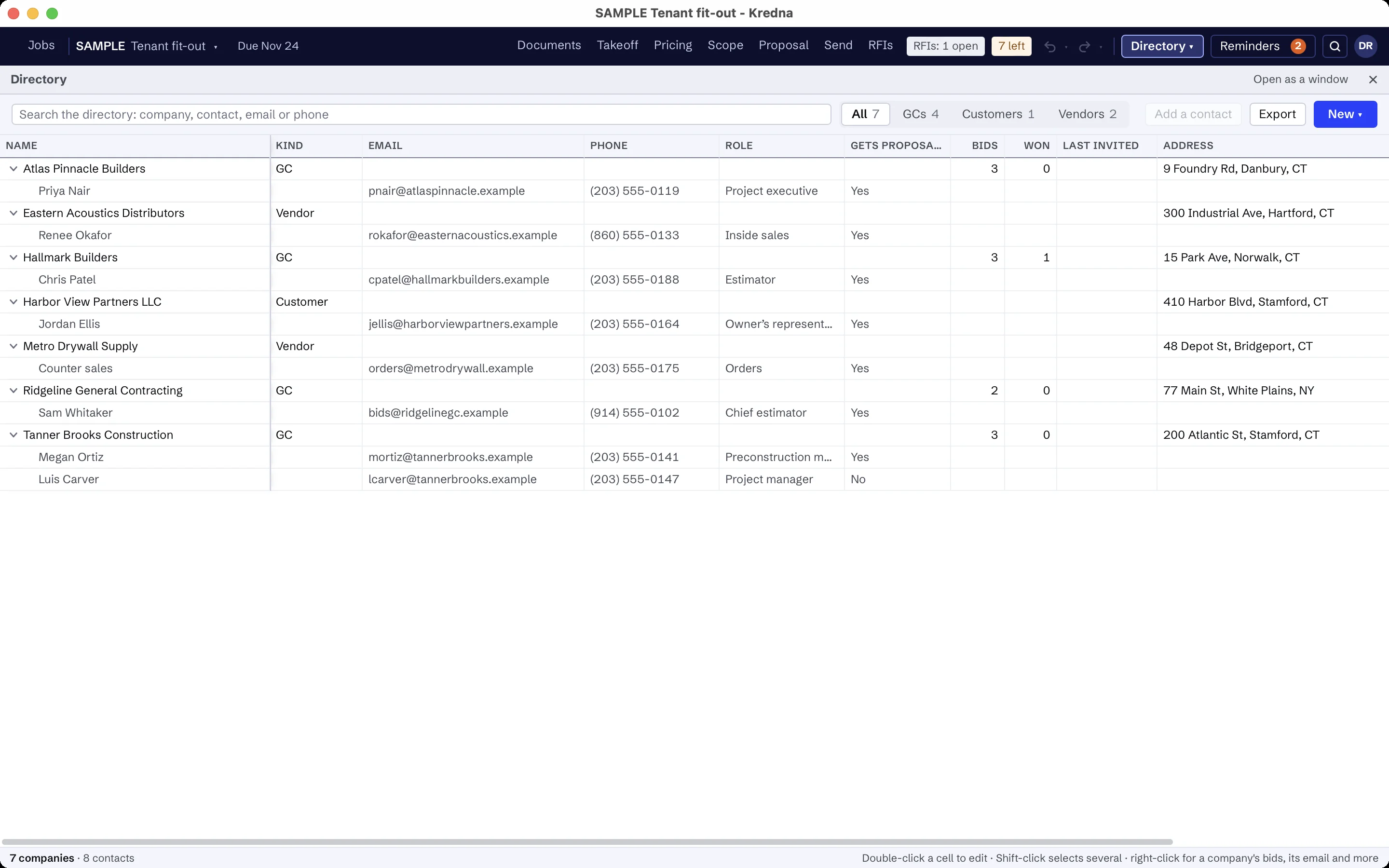
Keep the people in one place.
The directory holds your customers, vendors and GCs with their contacts. Mark who gets the proposal, and they are on the To line when you send.
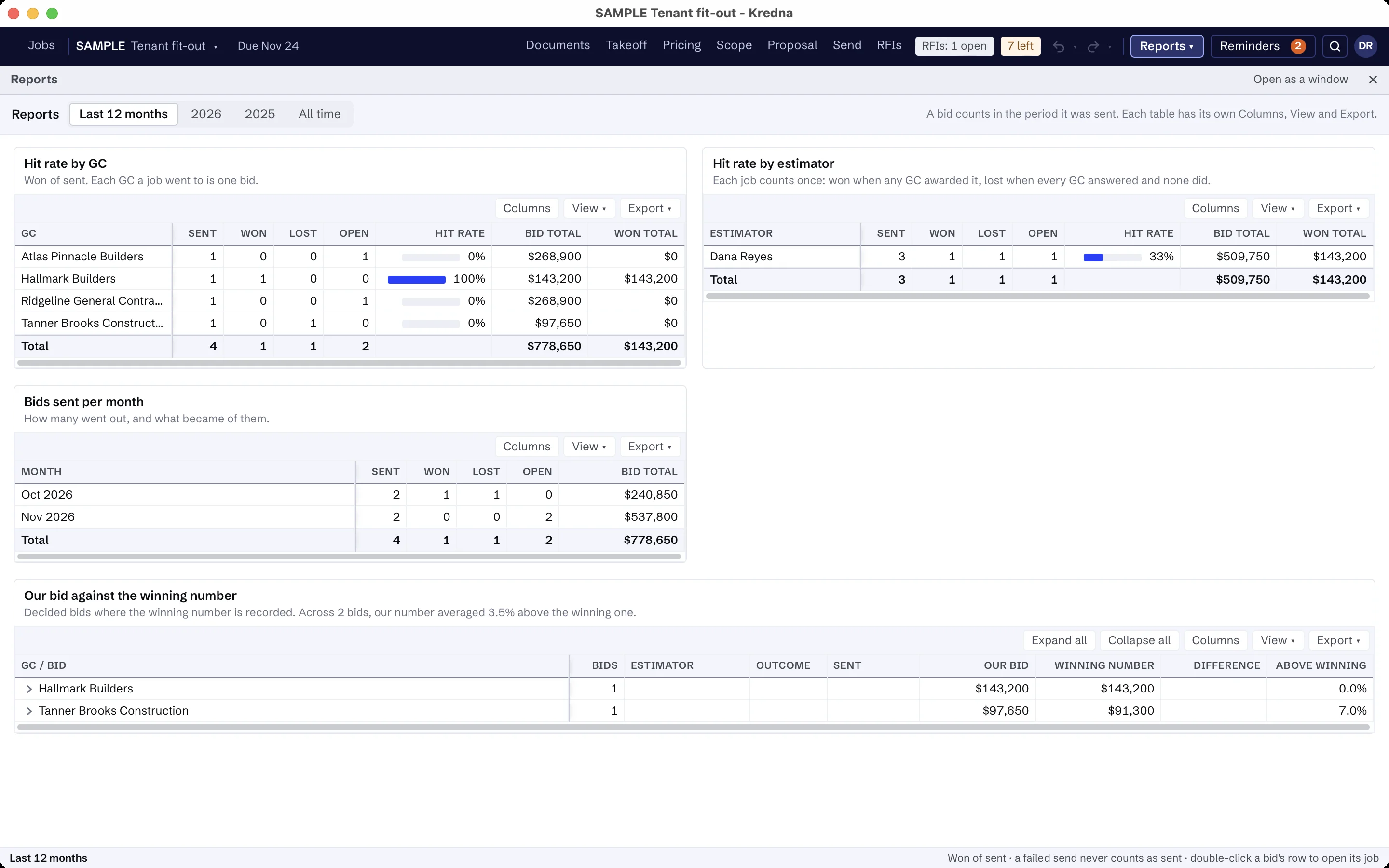
See how your bids turn out.
Reports show hit rate by GC and by estimator, bids sent per month, and your bid against the winning number. A failed send never counts as a bid. Each table has its own columns and export.