

Items, assemblies and formulas
Build your items once. Use them on every job.
Your wall types, devices and finishes are how you price. Build each one once in the library, with its parts, and every takeoff on it carries its material, labor and costs with it.
A job is one tree: folders, the items in them, and each item's takeoffs and parts. Takeoff, Pricing and the proposal are views of that one tree, so there is no second copy of the quantities to keep in step.
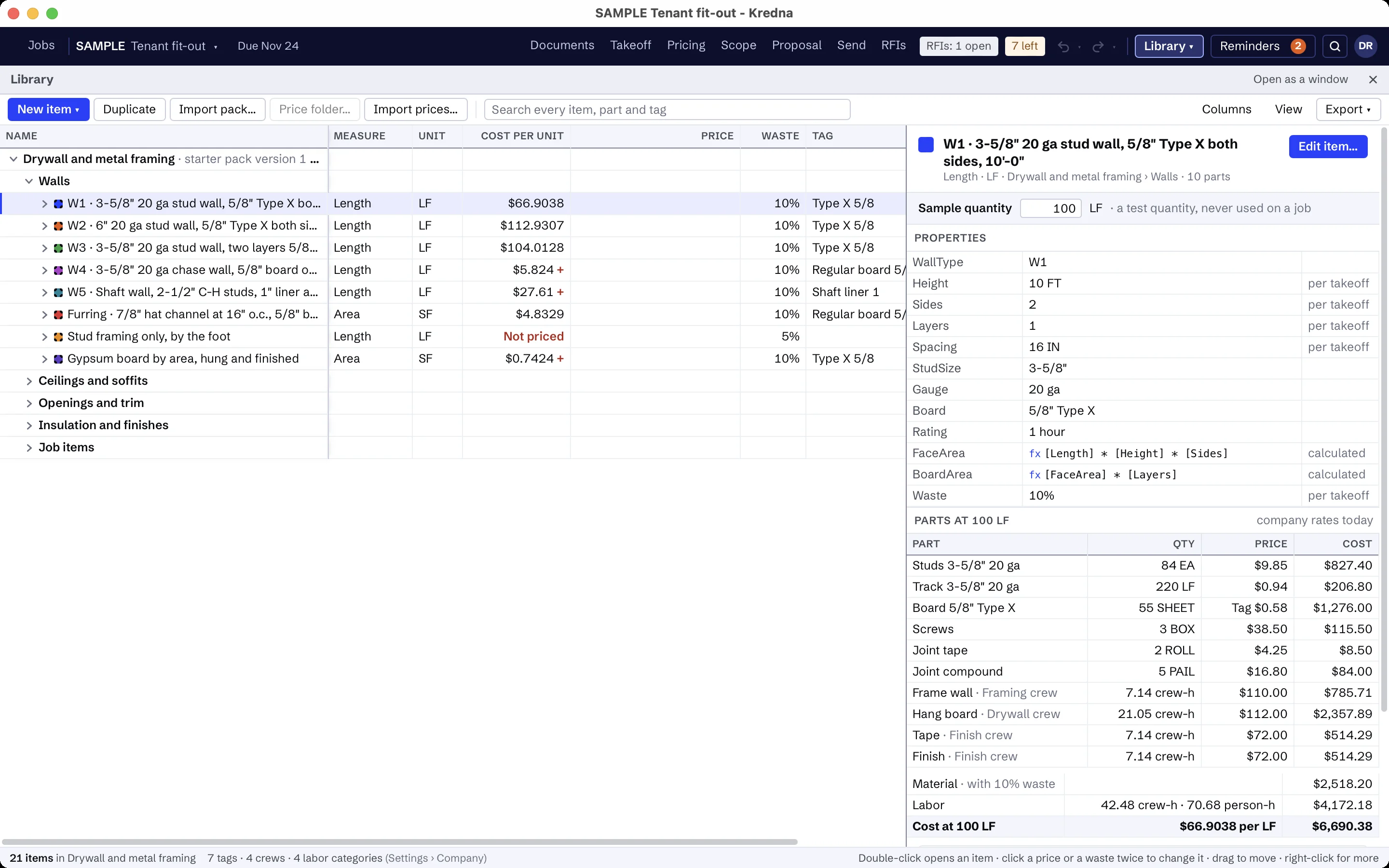
Put the parts under the item.
An item is something you measure or count. Its parts turn that quantity into cost lines: material, labor, equipment and subcontract. Take off a wall type once, and its board, studs, track, screws and labor come with it.
Folders can hold parts too, for the lump sums, crew durations, equipment and subcontracts that belong to an area rather than an item.
Write each quantity as a formula.
A part's quantity reads the item's properties and the measured quantity. Sheets of board from wall length and height. Studs from length and spacing. Gallons from area, coats and spread rate. Boxes and wire from the device count.
Waste is a property of the item, applied once to the measured quantity before it becomes purchased units. A takeoff can override it, or any other property, for that one measurement.
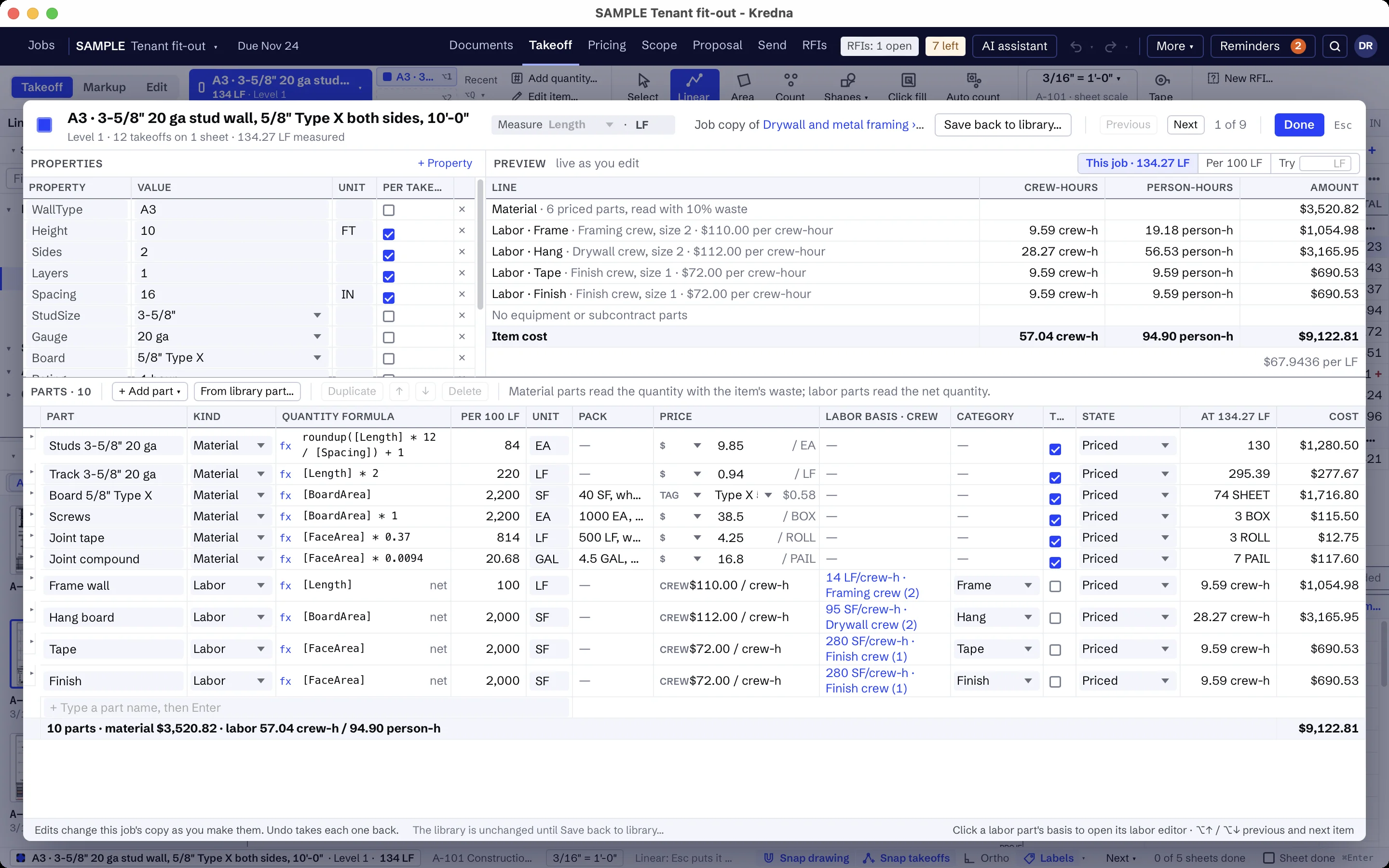
Edit the item without leaving the drawing.
The item editor opens as a large sheet over the drawing. Change a property, a part or a formula, then press Esc and you are back at the same spot on the sheet.
Price what prices the same way by tag.
Give items a tag, such as a board type or a wire size, and set the tag's value and unit once in your company settings. Every part with that tag prices from it, unless the item has a cost of its own.
Labor parts carry your company's labor categories, such as Hang, Tape and Finish, or Shop and Field.
A job keeps its own copy.
The first time a job uses a library item, the job copies it, with its rates. A later library change never moves a price you already worked out.
When you want the new values, Update from library shows what will change, and the cost impact, before anything is applied. Saving a job's change back to the library is a separate, deliberate step.
Start from a starter pack for your trade.
Starter packs are included for four trades: drywall and metal framing, painting, electrical, and structural and miscellaneous steel. Each one fills the library with items and assemblies with their parts and formulas, the trade's labor categories, tags, proposal clauses and the scope assistant's setup.
No prices or production rates ship. Every material part shows as Missing until you price it, so nothing is carried at zero by accident. For any other trade, build your items once and they are ready for every bid.