

Switching from another takeoff tool
Bring the way you bid. Build the items once.
If you take off on PDFs today, the takeoff will feel familiar: pick an item, measure on the sheet, and the quantity totals as you draw.
What changes is everything after the takeoff. Pricing, the proposal, sending, RFIs and the bid board all read the same job.
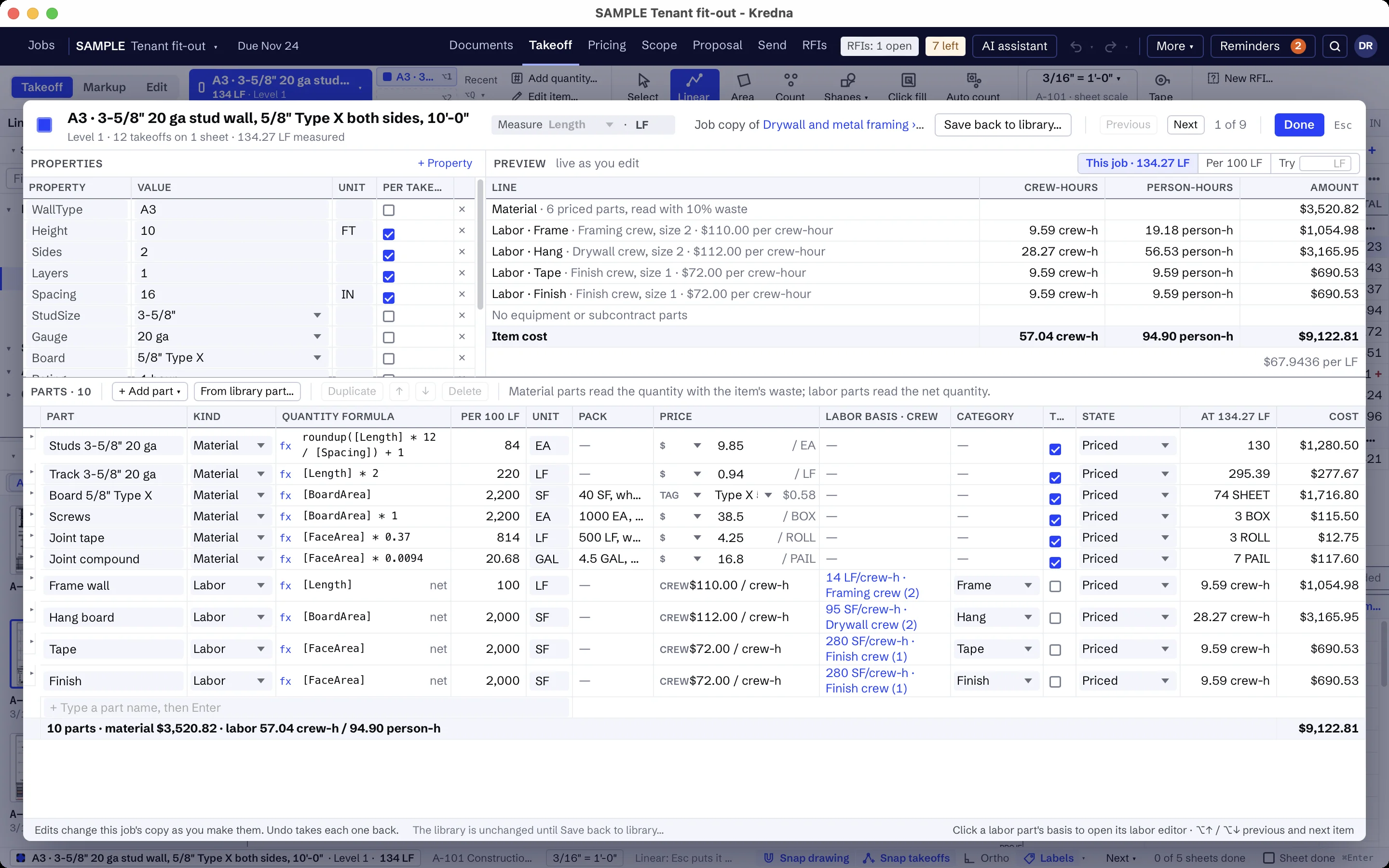
Your items become library items with parts.
An item is what you measure or count, with its properties: height, spacing, coats, waste. Its parts turn the quantity into material, labor, equipment and subcontract lines, each quantity a formula.
Build each of your assemblies once in the library. Every job copies an item the first time it uses it, so later library changes never move a price you already worked out.
Start from a starter pack where there is one.
Drywall and metal framing, painting, electrical, and structural and miscellaneous steel come with starter packs: items and assemblies with their formulas, labor categories, tags, clauses and the scope assistant's setup. No prices ship.
Copy a pack item and change it to match how you price, or build your own from the start.
Your habits carry over.
Count, linear and area takeoff, auto count of a symbol on the sheet, click fill, typed lengths and keyboard shortcuts you can change. Folders organize the job by level, area or system, and a folder marked as an alternate is priced on its own.
Set up the company once.
Under Settings → Company: your name and logo, terms, clauses, labor categories, tags with their prices, and crews. Every job you start uses them.
Try it on a job you know.
Open the sample job from Help to see a small drywall fit-out end to end. Then put a job you already bid through Kredna and compare the quantities and the number with what you sent.
Switching questions
Can I import my templates or jobs from another takeoff tool?
Can I import an item list from a spreadsheet?
Will my formulas work the same way?
Do I have to finish my open bids somewhere else?
Is there a starter pack for my trade?
Bring a job you've already bid.
See your items built in Kredna, and how the takeoff, pricing and proposal carry on from there.