

Door and hardware estimating software
Bid more door packages. Price each opening.
The door schedule gives the types, the hardware schedule gives the sets, and the floor plans show where each opening is.
Count the openings in Kredna and each one carries its door, frame and hardware set into the price.
Illustration on a made-up plan.
What a door takeoff covers.
Count openings by type on the floor plans and check the totals against the door schedule. Each opening item you build carries its door, frame and hardware set as parts.
| What you take off | How | Carried in |
|---|---|---|
| Hollow metal door and frame, single One door, one frame and one hardware set for each opening counted. | Count | EA |
| Hollow metal doors and frame, pair Two doors, one frame and one set for each opening. | Count | EA |
| Wood doors in hollow metal frames Single or pair, counted from the door tags. | Count | EA |
| Cased openings, frame only | Count | EA |
| Hardware sets The set number from the hardware schedule kept as a property on the item. | Count | EA |
| Rated openings From the life-safety plans, so the label and the hardware match the rating. | Count | EA |
| Overhead coiling doors | Count | EA |
| Access doors | Count | EA |
| Sidelight, transom and borrowed light frames Where you price frames by length. | Linear | LF |
Count on the plans. Check against the schedule.
The door schedule says what each opening is. The plans say where it is and how many there are. Pick the item for a door type, click each tag, and the count totals in the job tree beside the schedule's own count.
Auto count takes one boxed tag or symbol and counts its matches on the sheet as the item you hold.
One opening, three parts.
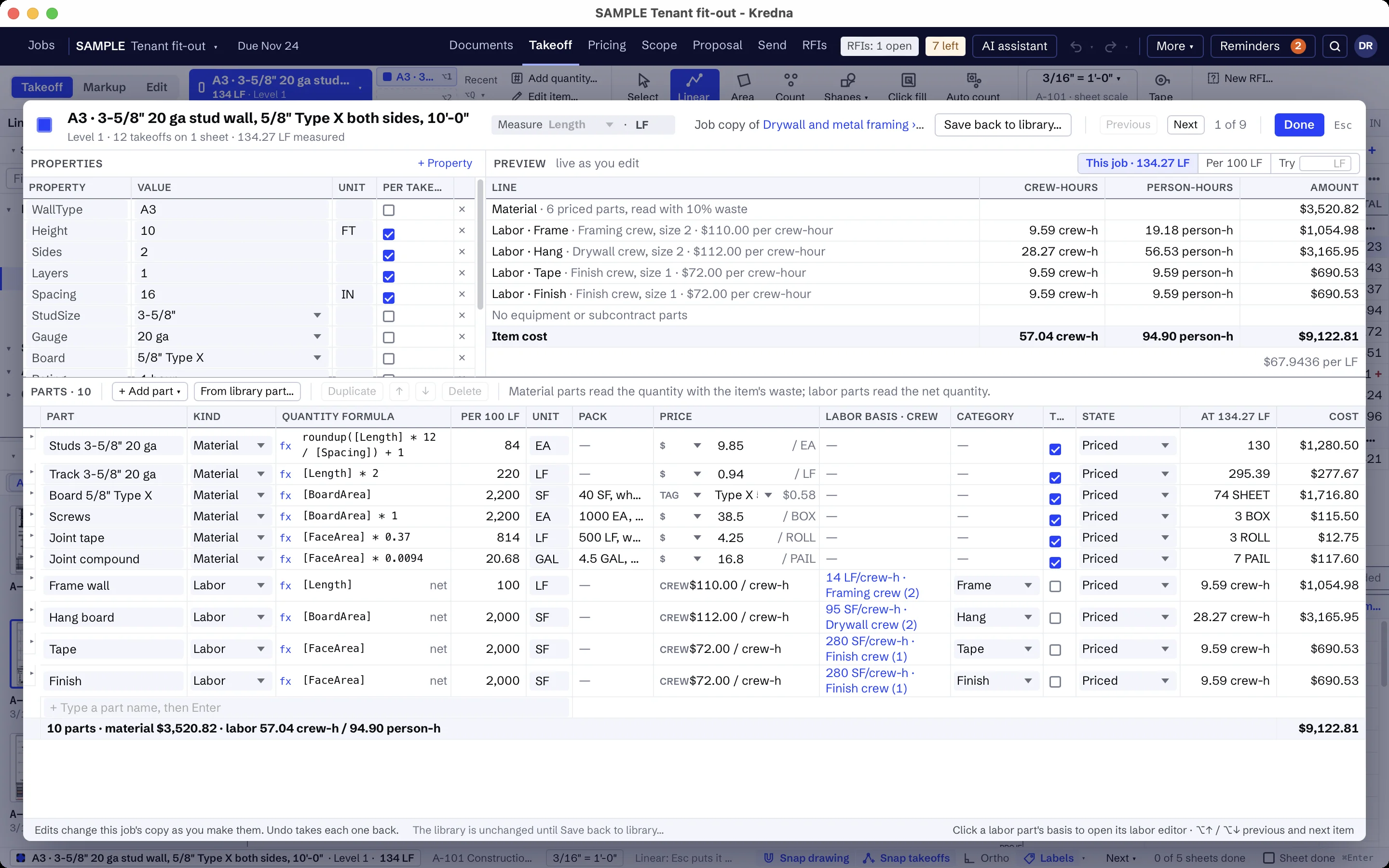
Build each opening type once as an item in your library. The door, the frame and the hardware set are its parts, and each part's quantity is a formula on the count: two doors for a pair, one frame and one set for each opening.
Install labor is a part too, as a production rate, total hours or a crew duration in your own labor categories. A frame furnished by others can be set to zero by choice, so it never reads as a missing price.
Keep supply and install apart.
Price each part from its own cost or from a tag your company prices per unit. Put the openings in folders by floor or area, so the breakout the GC asks for is already there, and mark a folder as an alternate when the bid has one.
Say what the number covers.
Keep your door inclusions, exclusions and clarifications in the company clause list for the trade, and Scope brings them onto each job for you to edit. Spell out storefront, electrified hardware wiring and field painting as by others, and that counts follow the door schedule.
Items a door company builds once.
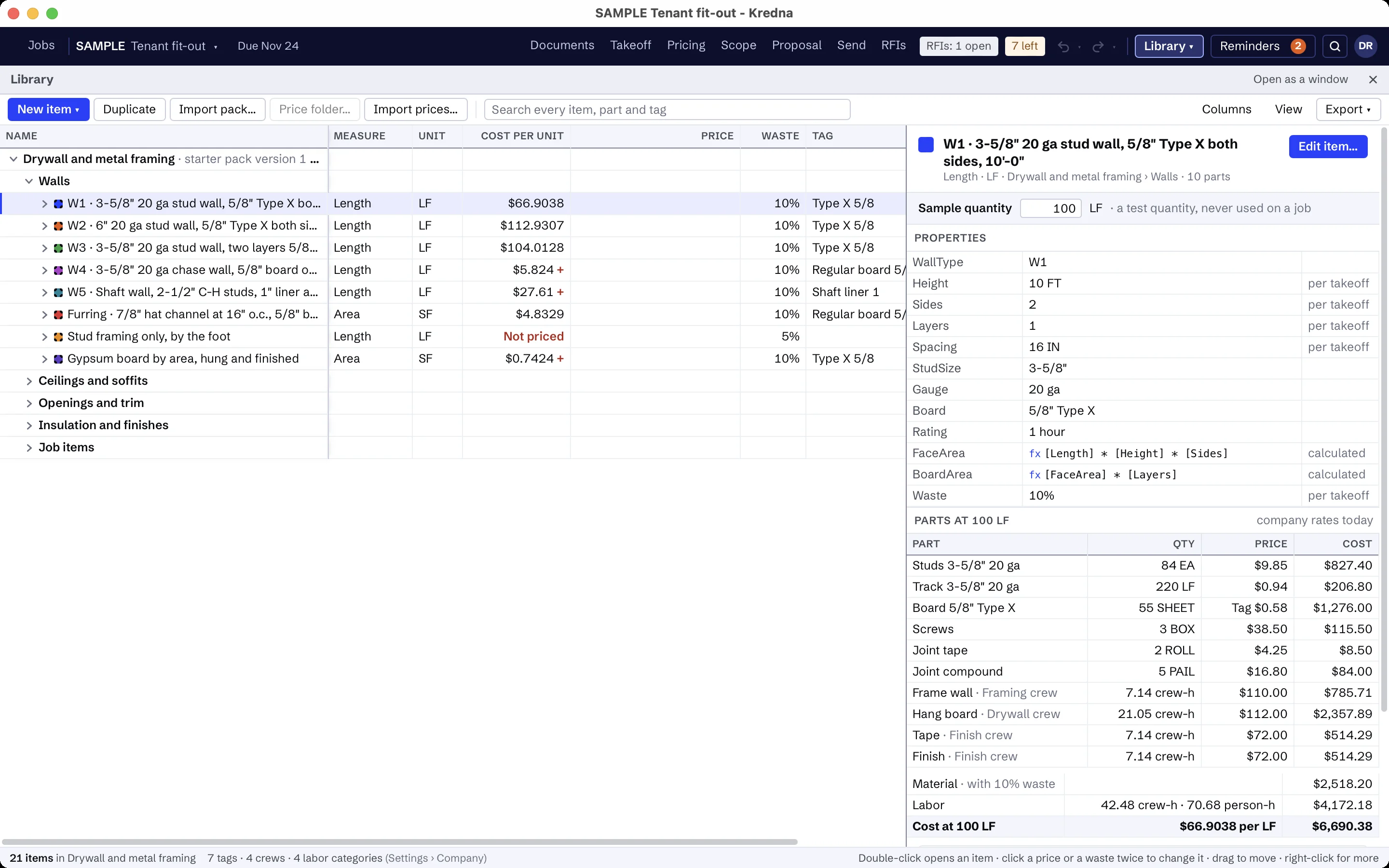
Build your opening types in the library once, with their parts and formulas, and each job copies the ones it uses. Examples of what door companies build:
- Hollow metal door and frame, single and pair
- Wood door in a hollow metal frame, single and pair
- Frame only, for cased openings
- Hardware set, with its set number
- Overhead coiling door
- Access door
- Your door inclusions, exclusions and clarifications
The prices are yours to set. A part without a price shows as Missing, never as zero, and every total that includes it is marked incomplete until you price it.
Door scope that is usually someone else's.
Write the assistant's setup for doors once: what to look for, the sheets and spec sections to read, and what is usually by others. It then reads the door and hardware schedules and the life-safety plans you choose, highlights where the door scope is so you can jump to it, and flags lines like these as usually another trade's. Findings stay drafts until you accept them.
- Storefront and all-glass entrances
- Wiring for electrified hardware, access control and door operators
- Field painting of doors and frames
- Grouting frames in masonry walls
- Rough openings and blocking
AI findings need estimator review. Check quantities, costs and scope against the project documents before submitting a bid.
Moving from another takeoff tool?
Pick an item, measure on the sheet and watch the quantity total in the job tree. Build your items once in the library, and the takeoff, pricing and proposal all read the same job.
Doors, frames and hardware questions
Can I take off doors from the door schedule?
How do I price hardware sets?
Do coiling doors and access doors go in the same estimate?
What if a part has no price yet?
Does the AI count the doors?
Bring a door schedule you know.
See how the opening count, the hardware sets and the proposal fit together on a job your company bids.