

Excavation estimating software
Bid more site work. Price the dirt you move.
Take off stripping, cut, fill, footing excavation and stone base from the grading and foundation plans. Each area carries its depth, so the cubic yards sit beside the area you drew.
Illustration on a made-up plan.
What you take off for earthwork.
Draw areas on the grading plan and runs on the foundation plan. Set the average depth from the existing and proposed grades, and the volume in place comes with the area.
| What you take off | How | Carried in |
|---|---|---|
| Clearing and grubbing | Area | SF |
| Topsoil strip The area times the stripping depth from the soils report. | Volume | CY |
| Mass excavation The area times the average depth of cut you read from the grading plan. Add swell as waste for the haul. | Volume | CY |
| Structural fill The area times the average depth of fill, compacted in place. | Volume | CY |
| Footing excavation A formula on the item: each footing run times the trench width and depth you set. | Linear | CY |
| Stone base under slabs The slab area times the base thickness. | Volume | CY |
| Fine grading | Area | SY |
| Silt fence | Linear | LF |
| Inlet protection | Count | EA |
| Construction entrance | Count | EA |
Depths from the grading plan, quantities on the sheet.
Read the existing and proposed contours, set the average depth for an area and draw it. The cut, the fill and the area stay tied to the sheet they came from.
Where the grades change, split the site into areas of like depth: give one takeoff its own depth and it overrides the item's. Keep each area of the site in its own folder.
Price the haul, not only the hole.
The takeoff gives excavation in place. Add swell as waste where you haul and compaction where you place fill, then price trucks as equipment parts and your crews as labor against those quantities.
Put the soils report in the proposal.
Rock, unsuitable soil and contaminated material change a site bid. Keep exclusions for them in your company clause list, with a clarification that the quantities assume the site balances as shown.
Each job's Scope starts from those clauses, and you edit the wording for the bid in front of you.
Build your earthwork items once.
There is no earthwork starter pack. Build your items in your library, in folders for site preparation, excavation, fill and base, and erosion control. A Volume item asks for a depth and carries the result in cubic yards. Items like these:
- Clearing and grubbing
- Strip topsoil, with its depth
- Fine grading, in SY
- Mass excavation, with the average depth of cut
- Footing excavation, with trench width and depth
- Structural fill, with the average depth
- Stone base under slabs, with its thickness
- Silt fence
- Inlet protection
- Stabilized construction entrance
- Your own clauses for earthwork to subgrade, erosion control, rock and unsuitable soil, contaminated soil, survey and site balance
The prices are yours to set. A part without a price shows as Missing, never as zero, and every total that includes it is marked incomplete until you price it.
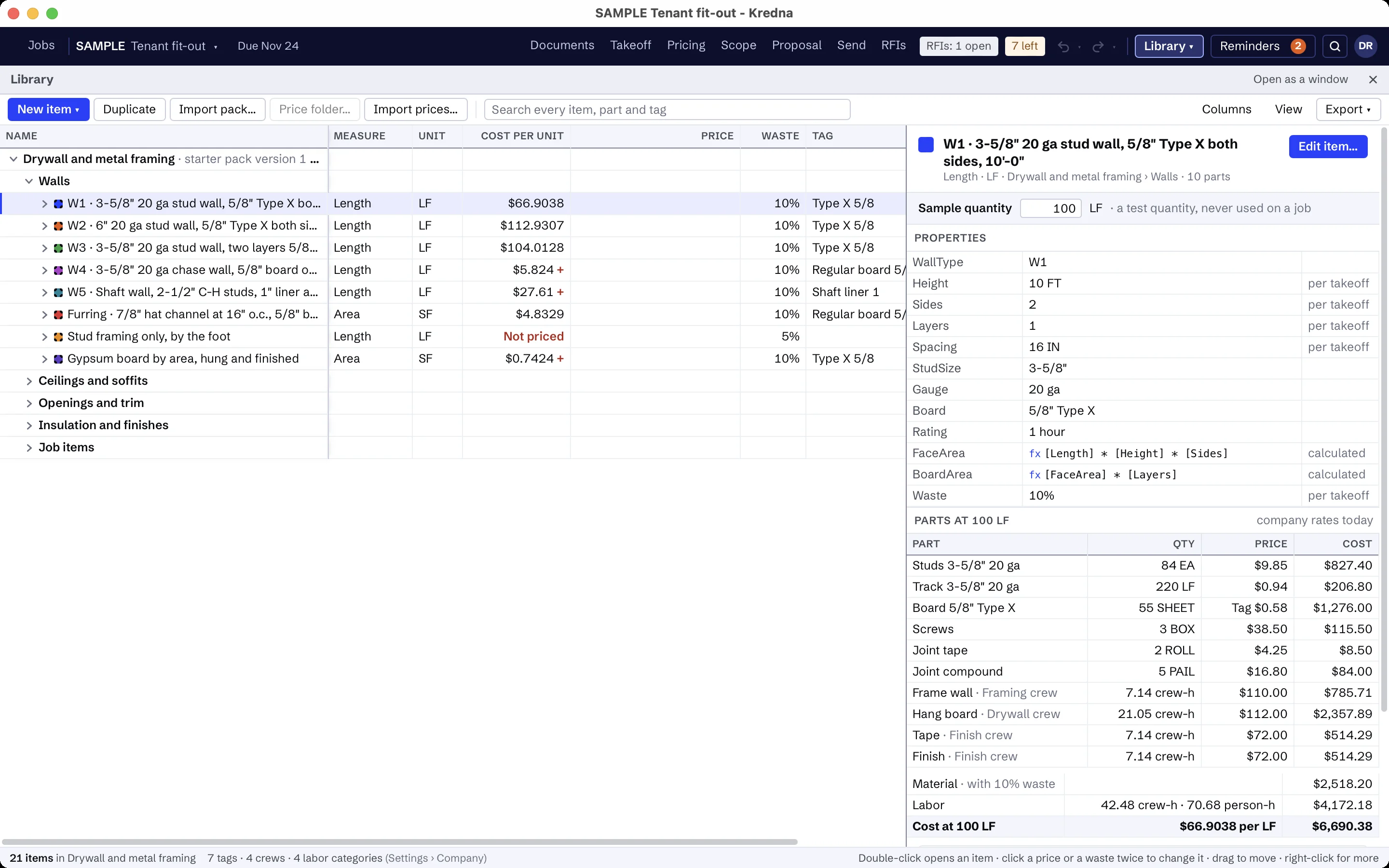
Earthwork scope that is usually someone else's.
Set up the scope assistant for earthwork once: what to look for, which sheets and spec sections to read, and what is usually by others. It reads the grading, erosion control and foundation sheets for clearing, cut and fill, base and erosion control, highlights each reference so you can jump to it, and flags lines like these as usually another trade's. Its findings stay drafts until you accept them.
- Utility pipe and structures
- Paving and curbs
- Landscaping and final topsoil, unless listed
- Survey and layout, unless listed
- Handling contaminated soil
AI findings need estimator review. Check quantities, costs and scope against the project documents before submitting a bid.
Moving from another takeoff tool?
Pick an item, measure on the sheet and watch the quantity total in the job tree. Build your items once in the library, and the takeoff, pricing and proposal all read the same job.
Excavation and earthwork questions
Does Kredna calculate cut and fill from surfaces?
Can I carry earthwork in cubic yards and square yards?
How do I allow for swell and compaction?
Does it come with excavation prices or truck rates?
What does the scope assistant look for on a site set?
Bring a site set you know.
See a grading plan taken off by area and depth and priced with your own trucks and crews.